
Free on iOS and Android · Ages 2 to 16 · No Subscription
A Points App for Kids That Actually Gets Chores Done
Kids Point Tracker is a free iOS and Android app for parents that turns chores, homework, and good behavior into points and Kid Cash rewards for kids ages 2 to 16. With a money reward, every point adds to a wallet kids can watch grow, so the reward is instant, not a promise for later.
See how it works4.3★ average rating from 6 ratings on the App Store · Built for the whole family, not just one kid
A paper chore chart gets ignored by day three. A points app doesn’t.
Every family tries the sticker chart first. It works for about a week, then fades into the fridge with everything else. Kids Point Tracker works because the reward is instant and visible: tap the board when a chore is done and a money reward adds straight to the wallet balance your kid can check anytime, not a tally you settle up on Fridays. Point system vs. sticker chart: which works better?
Everything you need to run a real family point system
Tap-to-Fill Points Board
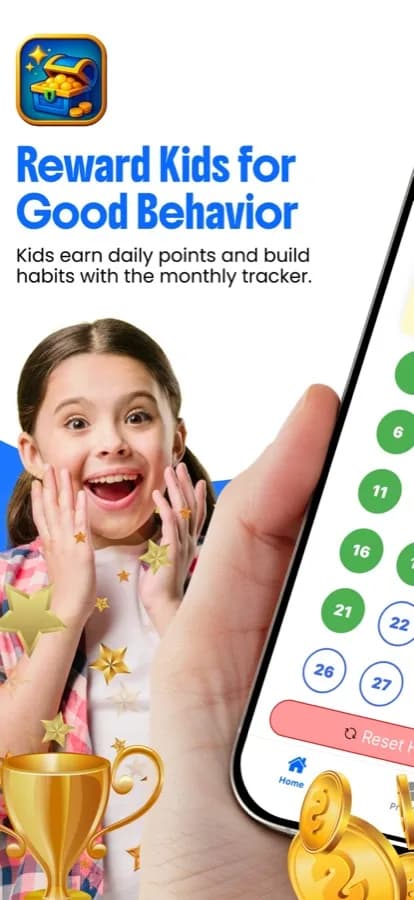
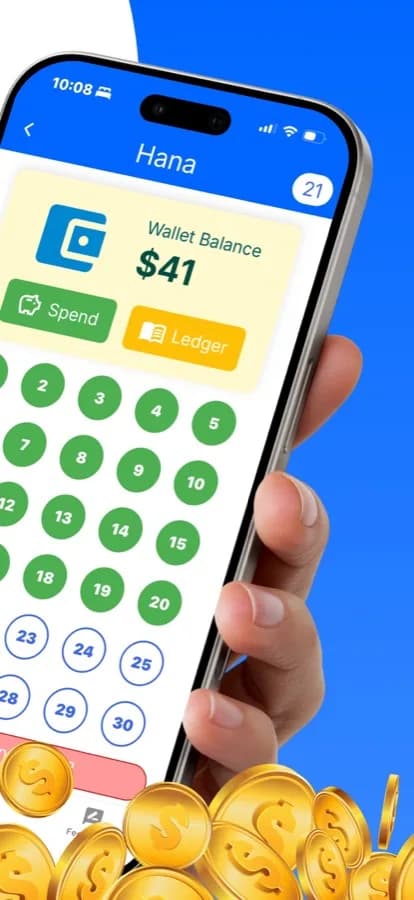
Each child gets a numbered points board. Tap a circle to award points, tap a lower number to take points back, and watch the board fill up with a sound and confetti on the last point. You decide what earns a point.
Read the guide: kids point system ideasKid Cash Wallet & Ledger
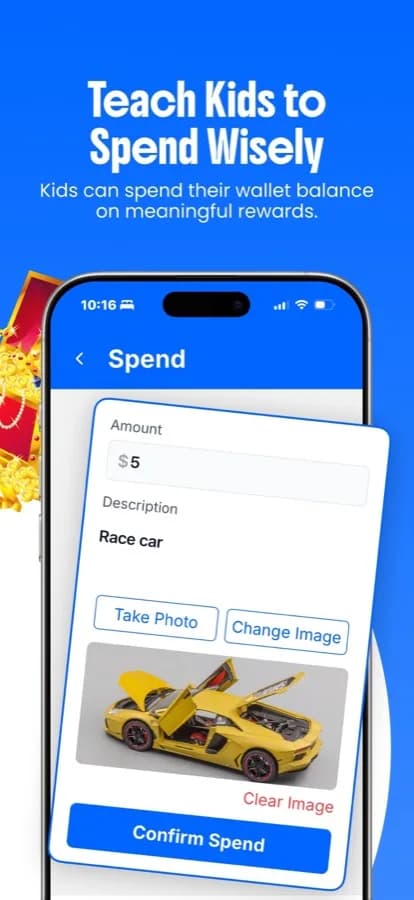
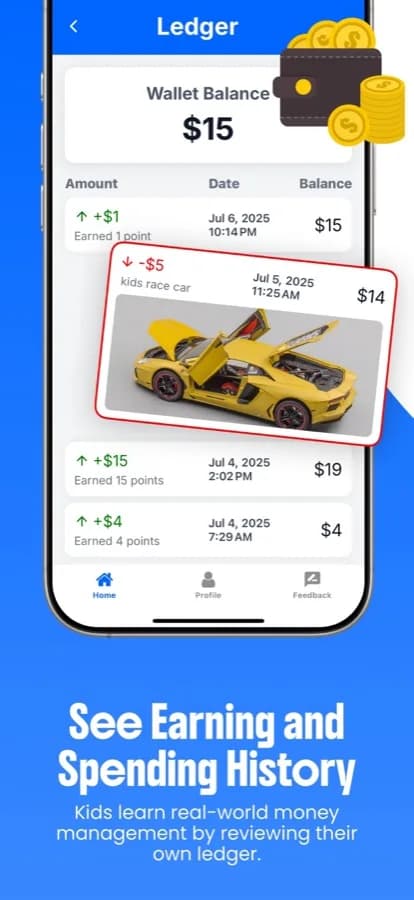
Set what each point is worth, such as $1 or 10 cents, and every point moves your child's Kid Cash balance. The ledger shows every earn and spend with its date and running balance, and a spend can carry a note and a photo.
Read the guide: how to teach kids money managementMoney or Picture Rewards
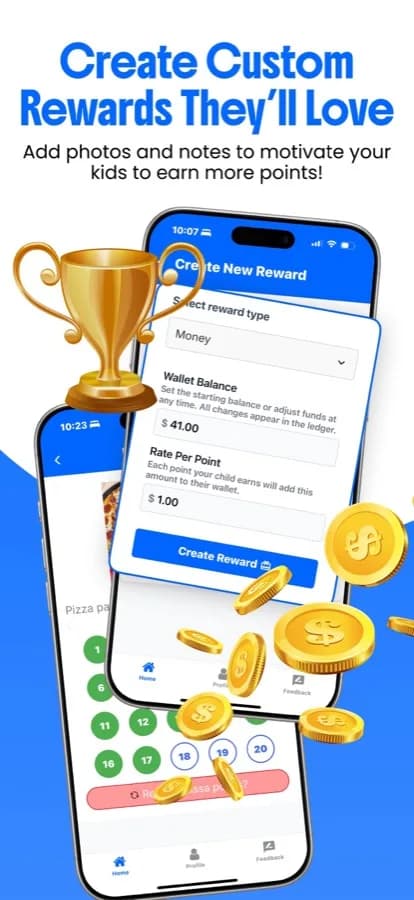
Give each child a reward to work toward: a money goal that shows My Goal, My Savings, and Still Need, or a picture of the prize with a motivational message from you.
Read the guide: free rewards app for parentsWorks for Any Chore or Habit
There are no fixed chore lists to fight with. Chores, homework, kindness, and manners all work the same way: you tap the board when your child earns it, and reset the board for a fresh start.
Read the guide: chore chart app for kidsMulti-Child & Co-Parent Support
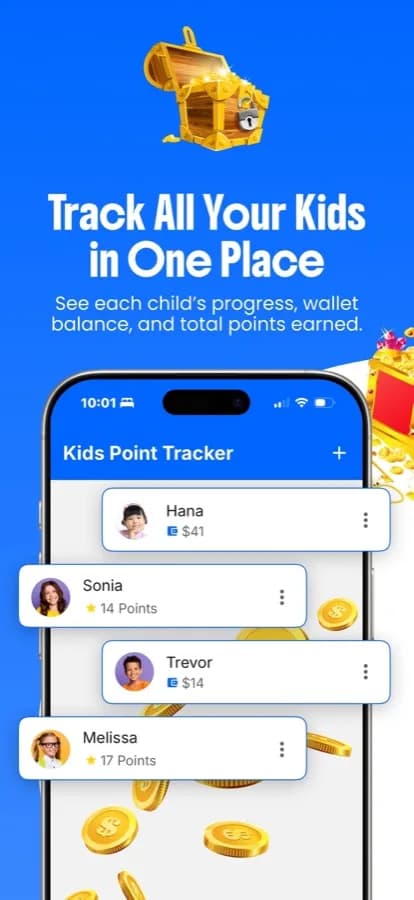
Give up to 6 kids their own profile, photo, board, and wallet, and switch between them from one home screen. Invite a co-parent, guardian, or viewer so the whole family stays on the same page.
Read the guide: reward system for multiple kidsChild Sign-In That Stays Simple
Kids can sign in on their own device by scanning a QR code from you. They see their own board, reward, and wallet, with no ads, while settings and invitations stay in your parent account.
Read the privacy policy and termsHow the Kids Point Tracker point system works
Set up each child
Add a profile and photo for every kid, choose a money or picture reward, and set what each point is worth.
Tap the board as they earn
When your child does the chore or shows the good behavior, tap the next number. With a money reward, every point adds Kid Cash to their wallet.
Kids watch it grow and spend it
Kids see their balance and goal climb. When they spend Kid Cash, you record what it bought, with a note and an optional photo, so the ledger stays complete.
See the kids points app in action
Why parents pick this over a sticker chart or a paid rewards app
Ages 2 to 16, one app
You decide what earns a point and what a goal is worth, so the same board works for a toddler's first sticker-sized win and for a teenager saving toward something bigger.
Kid Cash, not just points
A number on a chart is abstract. A wallet balance that grows is real. With a money reward, Kids Point Tracker turns every point into Kid Cash your child can see.
Free, with no subscription
The points board, wallet, ledger, rewards, and multi-child support are free to use, with no monthly fee. The app shows parents a banner ad on some screens.
Built for more than one kid
Separate boards and wallets for up to 6 children stop the 'that's not fair' arguments a shared paper chart almost always causes.
Common questions about the Kids Point Tracker points app
Is Kids Point Tracker really free?
Yes. Kids Point Tracker is free to download and use, with no subscription. The points board, Kid Cash wallet, ledger, rewards, and multiple children are all included. Parents see a banner ad at the bottom of some screens.
Is Kids Point Tracker on iPhone and Android?
Yes. It is a free download for iPhone and iPad on the App Store and for Android phones on Google Play. Both versions run the same points board, wallet, and rewards.
What ages is this kids point system app for?
Ages 2 to 16. You decide what earns a point and how many points make a goal, so the same app works for a toddler earning a sticker-sized win and a teenager saving toward something bigger.
How many kids can I track at once?
Up to 6 children per parent account. Every child gets their own profile, photo, points board, and wallet, and you switch between them from the home screen.
Can my partner or another caregiver use it too?
Yes. A parent can invite a family member from the app and pick a role: Co-Parent has full access, Guardian can view and add points, and Viewer is view only.
How do points turn into money?
Choose a money reward for a child and set the rate per point, for example $1 or $0.10. Every point you add puts that amount into the child's Kid Cash wallet, and taking a point back removes it. Kid Cash is a balance tracked inside the app, so any real payout is handled by you.
Can I take points away?
Yes. Tap a lower number on the points board to take points back, and a money reward adjusts the wallet to match. Guardians can add points but cannot take them away.
Can kids use the app themselves?
Kids can sign in on their own device, for example by scanning a QR code from the parent, and see their own points board, reward, and wallet. They do not see ads, and settings and invitations stay in the parent account.
Does the app show ads?
Yes. Parents see a banner ad at the bottom of some screens, and Google Play lists the app as containing ads. Kids signed in on their own device do not see ads.
Does this replace a sticker chart?
It is built to be what a sticker chart turns into once a kid can count and compare rewards: the same tap-to-fill idea, but with a wallet that grows and a goal your child can see.
From the blog
Chore Chart App for Kids: What Actually Gets Chores Done in 2026
A chore chart app works when kids can see the chore and the reward right away. Here is what to look for, from toddlers to teens, and a free option to try.
Allowance App for Kids: How to Actually Connect Chores to Money
An allowance app for kids should track chores, a dollar value per point, and a ledger of what was earned and spent. Here is how to choose and set one up.
How to Teach Kids Money Management (Without a Lecture)
Kids learn money by making small, real decisions again and again, not from one big talk. Here is a practical, age-by-age plan parents can start today.
Point System vs. Sticker Chart: Which One Actually Works Longer?
Sticker charts work fast, then fade. Point systems last longer because the reward scales. Here's the real difference, and when to use each.
Best Free Rewards App for Parents (No Subscription Required)
The best free reward app for kids has no paywall on multiple children, custom rewards, or a spending ledger. Here is the checklist, plus one free option.
Screen Time Rewards System for Kids: Make Screens Something They Earn
A screen time rewards system lets kids earn minutes with points for chores and good habits, so screens stop being a daily fight. Here is how to set one up.
Stop nagging. Start rewarding.
Download Kids Point Tracker free and set up your first child’s point system in under two minutes.